PhotoCraftthe free, open-source photo editor
A practical starting point for PhotoCraft. Pick your platform, download the right official build, follow a short setup guide, then edit with keyboard habits that already feel familiar.
- Open sourceMIT / Apache-2.0
- NativeRust + GPU
- PSDLayered open and save
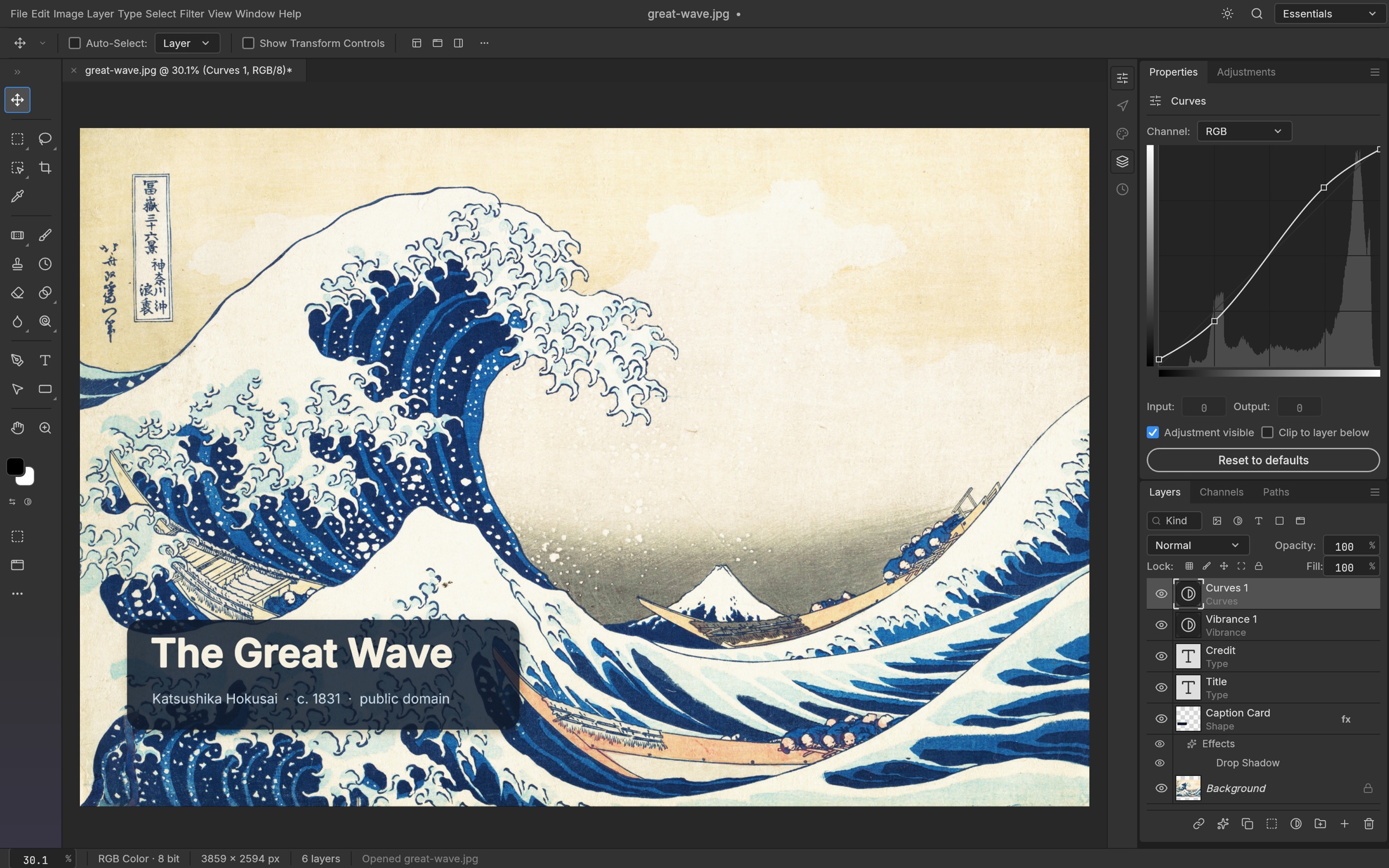
Duplicate a layer. Explore the complete shortcut guide.
02 / INSTALLFrom download
From download
to canvas in three steps.
Choose your platform below. If the operating system shows a warning, first confirm that the file came from the official GitHub release, then follow the platform-specific prompt.
- 01
Choose your architecture
Most computers need
windows-x64.msi. Choose ARM64 for Snapdragon-based PCs, or the portable ZIP if you do not want an installer. - 02
Run the MSI
Double-click the file and follow the setup wizard. The project README states that the installer and executable are code-signed.
- 03
Test a copy of a PSD
Open a duplicate file first. PhotoCraft is early alpha, so do not overwrite your only production source file.
- 01
Download the Universal DMG
The same package supports Apple silicon and Intel Macs. The official release is signed and notarized.
- 02
Move it to Applications
Open the DMG, drag PhotoCraft into Applications, then launch it there. macOS may perform an online notarization check on first launch.
- 03
Check your real workflow
Use duplicate files to test fonts, layer styles, PSD compatibility, and exports before moving production work.
- 01
Choose a package format
AppImage is the general-purpose option. Use DEB for Debian or Ubuntu, RPM for Fedora or RHEL, or Flatpak for a sandboxed install.
- 02
Make the AppImage executable
chmod +x photocraft-0.6.0-linux-x86_64.AppImage - 03
Launch PhotoCraft
./photocraft-0.6.0-linux-x86_64.AppImageIf file drag-and-drop is unavailable on Wayland, use File → Open or copy and paste.
Important
This is an independent resource site, not the official PhotoCraft website. It does not repackage software, provide cracks, or host mirrors. Treat the official GitHub release as the source of truth.
03 / COMPAREIt feels familiar.
It feels familiar.
It is not Photoshop yet.
This comparison is meant to expose the tradeoffs, not choose for you. The PhotoCraft project describes v0.6.0 as early alpha.
| Area | PhotoCraft v0.6.0 | Adobe Photoshop | Practical choice |
|---|---|---|---|
| License and cost | Open sourceMIT / Apache-2.0; free to use and study | SubscriptionProprietary software; the full desktop app requires a paid plan | Try PhotoCraft first if cost matters and you can accept early-stage risk |
| PSD workflow | SupportedOpens, edits, and saves layered PSD / PSB files; complex files still need testing | NativeThe industry-standard PSD workflow | Keep Photoshop in the review loop for delivery-critical PSD files |
| Layers and non-destructive editing | Layers, masks, adjustment layers, layer styles, smart objects, and filters | Deeper, more mature tools with established production workflows | Routine editing is worth testing; validate complex work with real samples |
| Generative AI | GapListed by the project as a future direction | MatureGenerative Fill, Expand, Harmonize, and other Firefly tools | Photoshop is currently stronger for AI-heavy production |
| Plugin ecosystem | PlannedPlugin compatibility remains a major acknowledged gap | MatureUXP, legacy plugins, and a broad marketplace | Do not switch abruptly if commercial plugins are essential |
| Platforms | Windows, macOS, Linux, FreeBSD, plus a WebAssembly build | The full desktop app focuses on Windows and macOS, with web and mobile experiences | Linux and FreeBSD users have a strong reason to explore PhotoCraft |
| Offline use and accounts | Core tools work offline and do not require an account | Desktop editing can work offline, but installation, activation, and subscription checks need a connection | PhotoCraft is more direct for local-first, account-free workflows |
| Automation | StandoutUI, CLI, JSON control channel, and MCP share one command system | Actions, scripting, plugins, and a mature third-party automation ecosystem | Explore PhotoCraft for agent and CLI experiments; Photoshop for mature pipelines |
| Stability | Early alphaExpect rough edges and compatibility issues | Production-gradeBetter suited to high-risk commercial delivery | Start PhotoCraft with copies and non-critical work |
Generative AI, commercial plugins, complex typography, strict delivery, and established team workflows
04 / OFFICIAL LINKS
Bookmark the real sources.
When a build changes or something breaks, check the official project first. This hub reduces the search time; it does not replace the project documentation.
01↗
02↗
03↗
04↗
05↗
06↗
07↗
08↗
GitHub repository
Source code, stars, branches, and the project overview
All releases
Build files, previous versions, and release notes
Project manual
Architecture, automation, formats, and security notes
Roadmap
Feature progress and the project's own gap analysis
Issues
Search known problems or file a bug report
ArtCraft Discord
Talk with developers and creators
Contributing guide
Help with code, documentation, or testing
ArtCraft product page
The official starting point for new users
NEXT / RESOURCE LIBRARY
Build the hub into a toolbox.
Plugin compatibility index
Track compatibility by version once the project's plugin boundaries are clear.
PLANNEDTemplates and assets
Curate clearly licensed PSD files and creative templates verified in PhotoCraft.
PLANNEDWorkflow recipes
Reusable steps for cutouts, color work, batch processing, and agent automation.
PLANNED